

Email Privacy: A Crucial Shield in Today’s Digital World
Email privacy covers the tools, practices, and policies that keep message content, attachments, and metadata visible only to people authorized to see them. It matters more than ever: in 2024, attacker sophistication and new regulatory demands are converging. This guide breaks down what email privacy actually means, why shifts like remote work, AI-enabled social engineering, and expanding privacy laws raise the stakes, and how individuals and organizations can cut risk. You’ll get a clear view of the main threats, practical steps (from multi-factor authentication to safer attachment handling), an overview of encryption models, and what compliance teams need to know. We map technical controls (encryption, key management), human-focused defenses (training, simulated phishing), and future-proofing actions (AI detection, post-quantum planning) into hands-on checklists. By the end, you’ll have practical criteria for choosing secure email services and a prioritized set of protections you can apply right away to reduce breach risk and stay audit-ready.
What Is Email Privacy and Why Is It Crucial Today?
Email privacy means deliberately protecting message bodies, attachments, and identifying metadata so only intended recipients can access sensitive information. It relies on encryption, access controls, and governance to stop unauthorized disclosure. Today’s drivers—widespread remote work, growing data collection, and AI-enhanced targeting—make interception, impersonation, and data exfiltration more likely. Protecting email helps preserve personal privacy, prevents financial loss from account takeover and fraud, and supports compliance with modern data-protection rules. Those realities make basic hygiene necessary but not enough: layered defenses are now essential to keep communications private and trusted.
How Does Email Privacy Protect Your Personal and Business Data?
Email privacy uses technical controls, policies, and process limits to reduce exposure. Encryption makes message content unreadable to intermediaries; retention and access policies ensure only the right people can see stored messages. End-to-end encryption stops a compromised provider from reading attachments, while least-privilege access prevents unnecessary internal visibility of customer data. Minimizing metadata and avoiding hidden tracking reduce the chances of profiling or surveillance. Together, these measures cut identity theft, financial fraud, and reputational harm for both people and organizations, reinforcing partner trust and operational resilience.
What Are the Key Principles and History Behind Email Privacy?
Email privacy evolved because early email often traveled in cleartext across servers, which led to standards like PGP and S/MIME to protect confidentiality and authenticity. The field is guided by principles such as least privilege (limit who can see data), data minimization (keep only what’s needed), consent and transparency, and defense-in-depth (multiple protective layers). Those principles inform modern practices like zero-knowledge storage, different key-ownership models, and retention policies. Looking at this history explains why legacy systems need updating and why sticking to core privacy principles matters when adopting new secure-email tools.
What Are the Main Threats to Email Privacy in 2024?
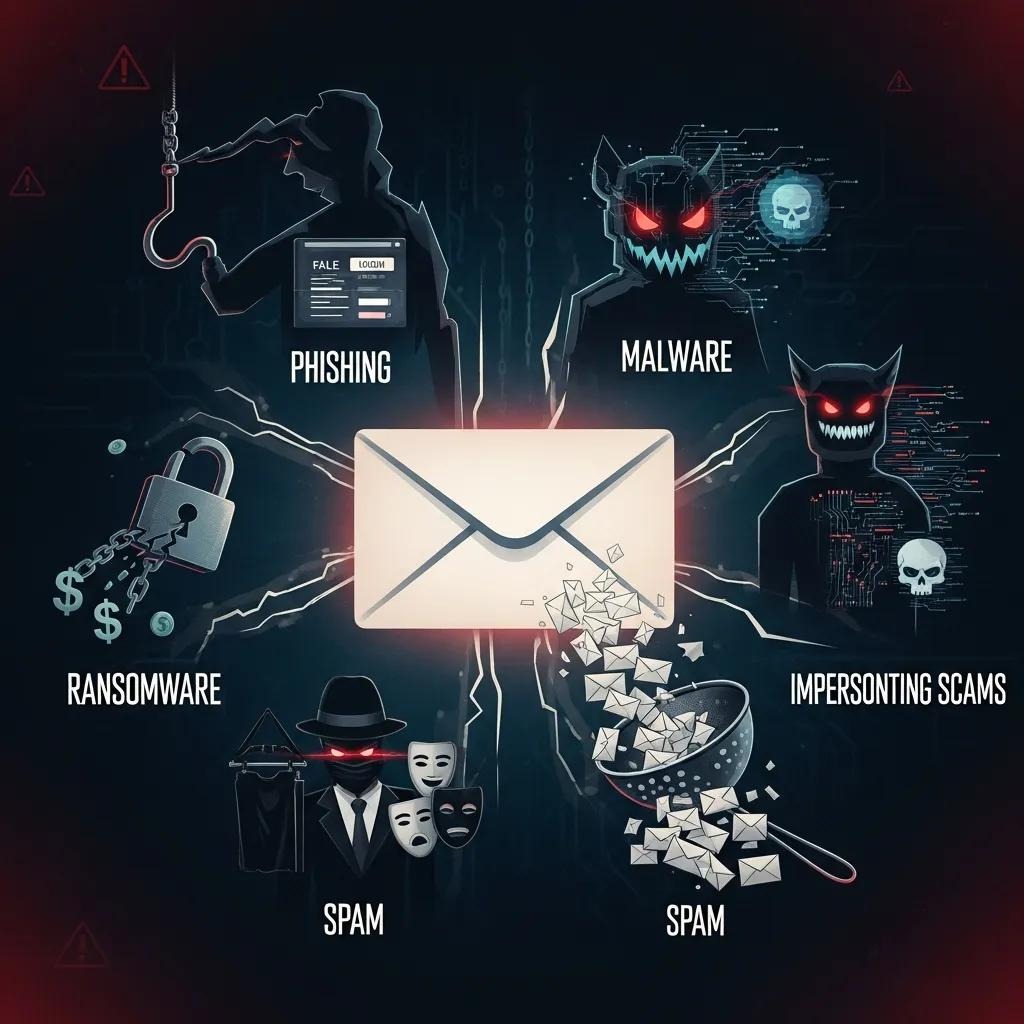
In 2024, the top risks to email privacy are highly targeted phishing and social engineering, credential compromise through breaches and password reuse, malware and ransomware delivered via attachments, and metadata exploitation for surveillance or analytics. AI has made attacks more personalized, while cloud consolidation and third-party integrations expand the surface for leaks. Any of these vectors can produce account takeover, data exfiltration, exposure of sensitive attachments, and downstream fraud. Recognizing these threats helps prioritize defenses—reducing exposure with encryption, tighter access controls, and human-centered training to stop attackers before email becomes their entry point.
How Do Phishing Attacks and Email Scams Compromise Privacy?
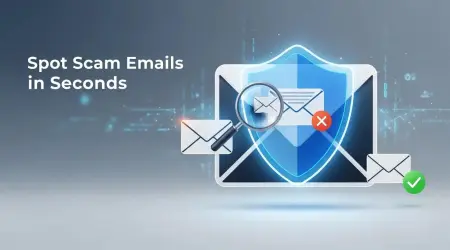
Phishing undermines privacy by tricking people into giving up credentials or clicking links that capture tokens, which lets attackers read inboxes and retrieve stored files. AI-driven message generation makes lures more convincing, using personal data to bypass simple filters, while business-email compromise targets high-value transfers through impersonation. Spotting phishing requires checking sender signals, questioning unexpected credential requests, and verifying links and attachments. Training and simulated phishing lower click rates, and technical controls like domain-based message authentication and anomaly detection make impostor messages far less likely to succeed—protecting private data from being harvested.
The Impact of Generative Artificial Intelligence on Social Engineering Attacks
This study examines how advanced generative AI amplifies social engineering risks. The research finds that AI has transformed attacks across multiple vectors—multi-channel campaigns, automated attack infrastructure, hyper-personalization, evasive techniques, and the creation of very realistic content. The paper also presents a framework for understanding these trends and offers practical recommendations for defenders.
Social engineering attack in the era of generative AI, N Kumar, 2025
What Role Do Data Breaches and Malware Play in Email Vulnerabilities?
Data breaches and malware magnify email risk by exposing credentials and turning compromised accounts into distribution hubs for scams and malicious attachments. Because many people reuse passwords, one third-party breach can give attackers access to multiple accounts. Malware hidden in attachments can harvest contacts and files for exfiltration. The fallout includes regulatory reporting, financial loss, and reputational damage—so prevention and fast containment are vital. Organizations should monitor for leaked credentials, enforce unique passwords and multi-factor authentication, and scan attachments for malicious payloads to limit how breaches and malware worsen email privacy problems.
How Can Email Encryption and Secure Email Services Enhance Privacy?
Encryption and privacy-focused email services protect confidentiality and integrity by encrypting content in transit and at rest, while offering different key-control and access models that trade off risk and usability. Transport-layer TLS secures mail between servers but leaves provider-accessible copies; end-to-end encryption (E2E) and zero-access models prevent providers from reading messages when keys are controlled properly. Choosing a model means balancing interoperability, user experience, and regulatory needs such as data residency or lawful-access rules. Evaluating options by key ownership, ease of use, compatibility, and regulatory fit helps you choose the right approach; real-world guarantees depend on key management and fallback flows.
Different encryption approaches present distinct characteristics and trade-offs:
This comparison shows TLS protects mail in transit but not provider-stored content, while E2E and zero-access models offer stronger confidentiality at the cost of some usability or compatibility. Choose the approach that matches whether confidentiality, regulatory control, or workflow is your priority.
What Are the Benefits of End-to-End and Zero-Access Email Encryption?
End-to-end encryption ensures confidentiality even if the provider is compromised, because only endpoints hold decryption keys. Zero-access models aim to combine provider-managed usability with technical barriers that keep plaintext out of provider hands. Both reduce exposure in breaches and simplify compliance impact analysis. That said, E2E can complicate search and enterprise integrations unless you adopt careful key-escrow or federation strategies, and zero-access systems need strong transparency and audits to build trust. Understanding those trade-offs helps teams pick encryption that fits operational requirements and regulatory duties.
A Privacy-First Framework for Data Protection and Regulatory Compliance
This paper outlines a privacy-first framework to strengthen user privacy and support regulatory compliance across jurisdictions. The framework helps organizations proactively meet global obligations through controls and governance that align technical safeguards with legal requirements.
A privacy-first framework for data protection and compliance assurance in digital ecosystems, A Odeshina, 2023
Which Secure Email Services Offer the Best Privacy Features in 2024?
When comparing secure email services in 2024, focus on criteria rather than vendor brands: encryption model and key control, jurisdiction and data residency, transparency reports and independent audits, and compatibility with enterprise identity systems. Open-source solutions provide verifiability, while well-built closed-source options may offer better usability and vendor support—the right choice depends on whether verifiable trust or operational ease matters more. Look for clear documentation of key management, export options for subject-access requests, and adherence to interoperability standards. Using a systematic checklist—security, governance, and compliance readiness—will produce a defensible vendor selection.
Before the comparison table, here is an explanation of the attributes included. The table below helps match service features to privacy goals.
This table highlights that key control and jurisdiction most directly shape privacy outcomes, while interoperability and audits influence adoption and assurance. Use these attributes as filters during procurement and threat modeling.
(Integration note: When comparing services, neutral terms like "secure email providers" and "enterprise gateways" are useful; pick providers whose key-control and jurisdiction choices align with your compliance and privacy needs.)
What Best Practices Can Users Follow to Strengthen Email Privacy?
Improving email privacy depends on good account hygiene, secure devices and networks, and human-focused defenses that reduce exposure and speed detection. Key steps include using unique passwords and a password manager, enabling multi-factor authentication, avoiding sharing sensitive data by email, and hardening devices and networks. Organizations should pair technical controls (encryption, secure gateways) with behavioral programs (phishing simulations, role-based access) to create repeatable protections that cut human error. Together, these practices raise the cost for attackers and shorten the window for successful compromise.
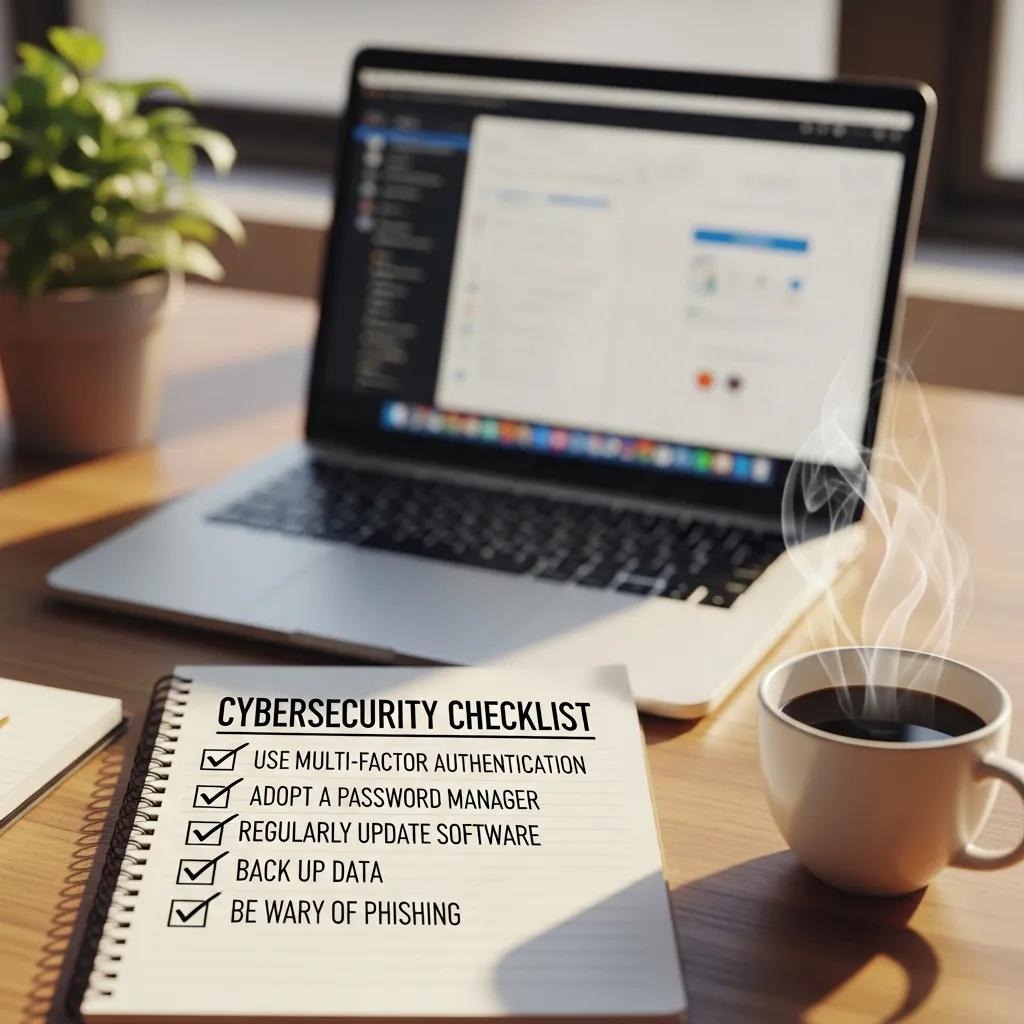
Practical best practices include the following prioritized steps:
- Use Multi-Factor Authentication: Require a second factor on all accounts to prevent account takeover.
- Adopt a Password Manager: Generate and store unique, strong passwords for every service.
- Limit Sensitive Data in Email: Send PII and financial details via encrypted attachments or secure portals.
- Keep Devices and Clients Updated: Apply OS and client updates to close exploitation paths.
- Verify Unusual Requests: Confirm payment or data-change requests through a second channel.
- Use Temporary Email Addresses: Reduce exposure when registering for services or trials.
Before the next table, the following explains the tool comparison purpose: it helps readers match typical user tools to protection levels and deployment complexity.
The table shows hardware tokens deliver the strongest protection for critical access, while app-based MFA and password managers balance security with usability for broad adoption. Temporary aliases limit exposure for short-lived interactions.
How Does Multi-Factor Authentication Improve Email Account Security?
Multi-factor authentication (MFA) cuts the chance of account takeover by adding a second verification factor—something you have (a token), something you are (biometrics), or something you know (a PIN)—on top of a password. SMS-based MFA offers some protection but is vulnerable to SIM-swapping and interception; app-based authenticators and hardware security keys resist phishing and token replay more effectively. For organizations, integrating MFA with single sign-on (SSO) and conditional access policies helps balance security and user experience. Prioritizing phishing-resistant MFA for privileged accounts yields large reductions in successful breaches and downstream privacy loss.
What Are Effective Habits and Tools for Maintaining Secure Email Communication?
Daily habits that improve security include verifying senders before responding, not sending sensitive attachments without encryption, rotating credentials after suspected exposure, and using aliases for nonessential sign-ups. Recommended tools that support these habits are password managers for unique credentials, email clients that support encryption, and disposable addresses to segment risk. Make it a weekly habit to review account access logs and update recovery options to speed detection and recovery. When combined with organizational policies, these practices help align individual behavior with technical controls and lower overall privacy risk.
Human Vulnerabilities and AI Countermeasures in Social Engineering
This research explores how human behavior creates entry points for social engineering and how AI-driven countermeasures can help. It reviews cognitive biases, trust dynamics, and real-world case studies that show why social engineering remains effective. The study also evaluates AI techniques for improving detection—such as real-time phishing classification and anomaly detection—and offers recommendations for combining technical defenses with user-focused training.
Human vulnerabilities in cybersecurity: Analyzing social engineering attacks and AI-driven machine learning countermeasures, H Faotu, 2025
How Do Data Privacy Regulations Impact Email Privacy Compliance?
Data privacy rules shape how email is collected, stored, and shared by imposing obligations like consent, data subject rights, breach notification, and limits on transfers—each of which affects email practices. Compliance starts with mapping email systems to data flows, applying technical controls (encryption, access logs), and adding contractual protections with vendors (data processing agreements and clear jurisdiction clauses). Vendor selection should consider data residency and key management to meet lawful-transfer and accountability requirements. Turning regulatory obligations into operational controls—retention policies, DSAR workflows, and incident-response plans—reduces legal and financial risk related to email.
This mapping shows that, despite differences in wording, common compliance levers—encryption, vendor agreements, retention, and transparency—directly affect email architecture and operations. Businesses should translate legal requirements into policies, technical controls, and vendor checks to stay compliant.
What Are the Key Requirements of GDPR, CCPA, and ADPPA for Email Privacy?
GDPR focuses on lawful processing, data minimization, DSAR handling, and quick breach notification, so email systems must support consent records, finding and deleting personal data on request, and logs for compliance. CCPA-style laws give consumers rights to access and opt out of sales or targeted profiling, so marketing programs must include clear opt-outs and accurate data inventories. ADPPA and similar federal initiatives push baseline accountability, requiring data processing agreements and risk-based safeguards that influence vendor choices and encryption practices. Mapping these rules to email workflows helps ensure retention, access, and transfers meet evolving legal expectations.
How Can Businesses Ensure Compliance with Emerging Email Privacy Laws?
To comply, businesses should map where personal data lives in email, run vendor due diligence focused on jurisdiction and key management, and deploy encryption, access controls, and logging to support DSARs and breach response. Operational steps include updating privacy notices and consent flows, training staff on lawful processing and retention rules, and codifying incident-response timelines. Vendor criteria should include data-residency guarantees, clear key-management models, and third-party audit evidence so contractual and technical controls align with legal obligations. Regular reviews and tabletop exercises help turn compliance requirements into resilient email practices.
What Does the Future Hold for Email Privacy: AI, Blockchain, and Emerging Trends?
The future of email privacy will be shaped by AI’s double role—enabling more convincing attacks while powering advanced defenses—alongside emerging decentralized protocols and the rise of quantum-resistant cryptography. Organizations should prepare for AI-driven threats by investing in adversarially tested detection and human-centered verification, while piloting decentralized identity or mailbox models that reduce single points of trust. Preparing for quantum risks means tracking standards progress and inventorying cryptographic dependencies so migration planning can begin before practical threats emerge. Balancing innovation with governance will be essential to ensure privacy gains outweigh new exposures.
How Is AI Both a Threat and a Protector of Email Privacy?
AI creates risk by producing highly personalized phishing and deepfake content that can evade naïve filters, and by automating reconnaissance to find valuable targets. At the same time, AI improves privacy protection through anomaly detection that spots unusual sending patterns, natural-language classifiers that flag fraudulent content, and automated orchestration that speeds containment. Effective defensive AI requires clean datasets, adversarial testing, and explainability so it doesn’t introduce new privacy risks. When combined with human review and ongoing red-teaming, defensive AI significantly strengthens email resilience.
What Are Decentralized Email Protocols and Quantum-Resistant Encryption?
Decentralized email protocols aim to reduce dependence on single providers by using federated or blockchain-inspired identity and routing, which can improve censorship resistance and limit provider access to plaintext. Quantum-resistant encryption (post-quantum cryptography) replaces vulnerable asymmetric algorithms with alternatives designed to withstand quantum attacks; standards bodies are moving toward recommendations. Early adopters should monitor standards, pilot decentralized identity for low-risk flows, and inventory cryptographic dependencies to plan migration. Incremental pilots and vendor conversations let organizations adopt privacy-enhancing innovations while managing interoperability and operational risk.
- Monitor Standards: Track post-quantum algorithms and protocol updates so you can plan migrations early.
- Pilot Decentralized Models: Test decentralized identity for specific workflows before full rollout.
- Assess Vendor Roadmaps: Confirm providers plan for cryptographic agility and evolving key management.
These preparatory steps help organizations shift from reactive responses to proactive privacy postures as standards and technologies mature.
Frequently Asked Questions
What are the most common misconceptions about email privacy?
A common misconception is that a strong password alone is enough. While passwords matter, accounts can still be compromised via phishing, malware, and third-party breaches. People also underestimate encryption and multi-factor authentication. Effective email privacy requires layered defenses: technical controls plus ongoing user awareness.
How can organizations train employees to recognize email threats?
Run regular training that shows real-world examples and uses simulated phishing so employees learn to spot suspicious messages. Give clear steps for verifying senders, checking links and attachments, and reporting incidents. Cultivate a security-aware culture where staff feel comfortable raising concerns—this improves overall resilience.
What should I do if I suspect my email has been compromised?
If you suspect a compromise, change your password immediately and enable multi-factor authentication if it’s not already on. Check account settings for unauthorized forwarding or recovery changes, review recent activity, and run a malware scan on your devices. Notify contacts if necessary and contact your provider for help with recovery.
Are there specific email providers known for better privacy features?
Yes—some providers emphasize privacy by design. Services like ProtonMail and Tutanota offer strong end-to-end encryption and minimal tracking. Other options such as Hushmail and Mailfence also prioritize security. When choosing a provider, consider encryption methods, data residency, transparency practices, and how the service fits your compliance needs.
How does email privacy relate to data protection regulations?
Email privacy is tightly linked to laws like GDPR and CCPA, which require organizations to implement appropriate technical and organizational measures for personal data. Compliance means supporting data-subject rights (access, deletion), maintaining consent records, and having breach-notification procedures. Understanding these rules helps organizations avoid penalties and keep customer trust.
What are the implications of using public Wi-Fi for email communication?
Public Wi-Fi can expose email traffic to interception because many networks lack encryption. Avoid accessing sensitive emails on open networks, or use a trusted VPN to encrypt your connection. Enabling email encryption adds another layer of protection when you must use public Wi‑Fi.
What future trends should we expect in email privacy technology?
Expect stronger AI-driven defenses—improved anomaly detection and automated response—alongside growing interest in decentralized email models that give users more control. Quantum-resistant encryption will also gain attention as organizations prepare for long-term threats. Staying informed and testing new approaches will be important for maintaining strong email privacy.
Conclusion
Email privacy is a practical, ongoing effort that combines encryption, strong account controls, and user training to protect personal and organizational data. By adopting measures like multi-factor authentication, careful vendor selection, and routine employee education, you can materially reduce breach risk and strengthen trust with customers and partners. Explore our resources to learn more and take the first steps toward securing your email today.