Understand How Two Factor Authentication Works: An Example
Two‑factor authentication (2FA) adds one more step to signing in so a stolen password alone can’t open your account. You combine something you know (like a password) with something you have (a phone, a hardware key, or an email inbox) or something you are (biometrics). That extra layer blocks many common attacks — from credential stuffing to simple phishing. This guide explains how 2FA works, walks through common examples, and compares security, convenience, and privacy so you can choose what fits. You’ll also see where temporary email fits, how TempoMailUSA handles low‑risk OTPs, and practical setup tips to keep your accounts secure.
2FA works best when it’s easy for people to use — security without friction wins.
Usability of Two‑Factor Authentication Methods
Two‑factor authentication reduces account takeovers by asking for two different proofs of identity — often a password plus a possession factor like a phone or hardware token. Even with clear security benefits, many common 2FA options haven’t been stress‑tested for real users.
A usability study of five {two-factor} authentication methods, J Dutson, 2019
Below we cover the basics, common implementations (SMS codes, authenticator apps, hardware keys, push approvals, biometrics), where disposable email helps with verification and privacy, and a simple decision framework for both personal and developer use. Read on to find the 2FA setup that matches your risk tolerance and device setup — and how to put it in place safely.
TempoMailUSA fits into some 2FA flows by offering disposable inboxes for one‑time verifications and low‑risk signups, keeping your main contact private and cutting tracking during short checks.
What Is Two‑Factor Authentication and How It Works
2FA proves your identity by requiring two independent factors so a single leaked credential won’t let an attacker in. The first factor is usually something you know (a password or PIN). The second is something you have (a phone, security key, or email inbox) or something you are (biometrics). 2FA can be synchronous (enter password, then a code) or asynchronous (approve a push). Services often offer fallback and recovery options to balance security with ease of use. The main benefit: if your password is exposed, an attacker still needs the second factor to get access.
The next section defines the three classic authentication factors and gives real‑world examples.
What Are the Three Authentication Factors?
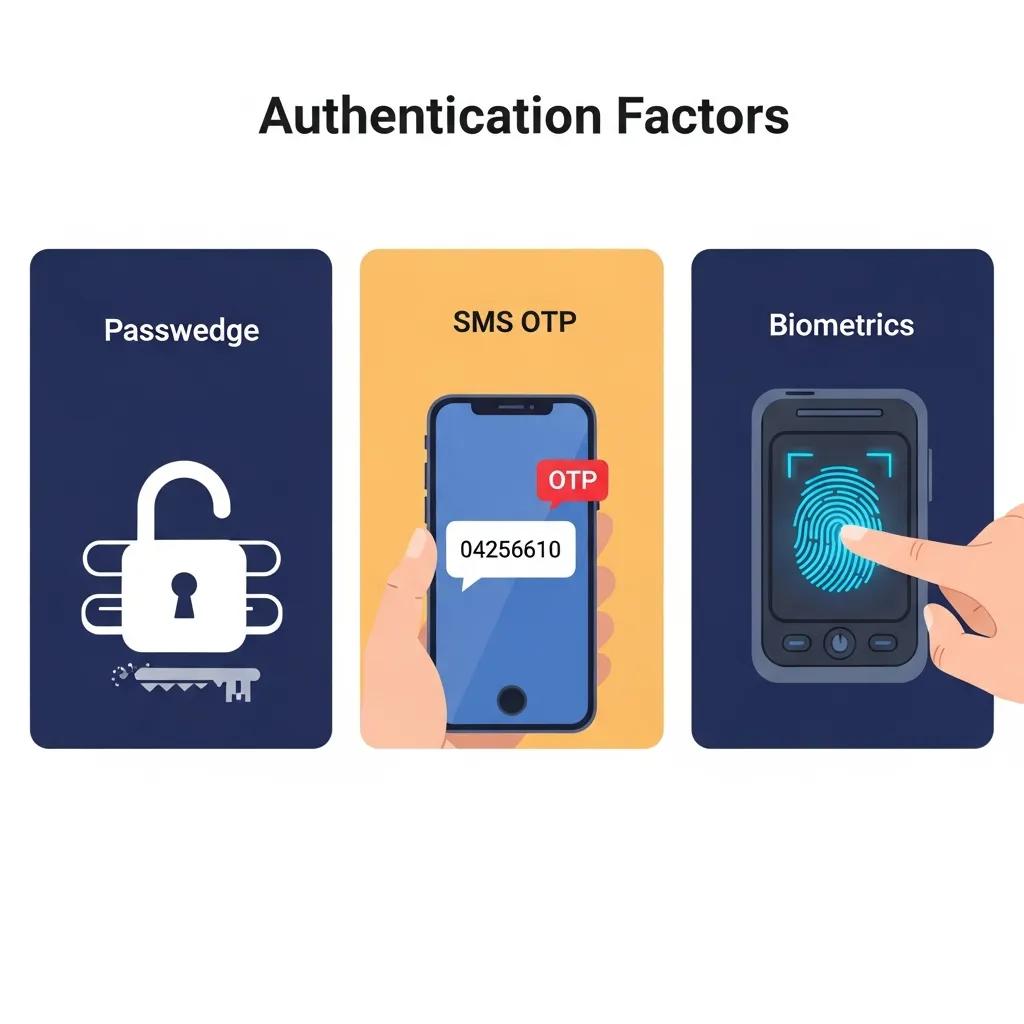
Authentication factors fall into three groups: knowledge, possession, and inherence. Knowledge is something you know — like a password or PIN. Possession is something you control — a phone that gets SMS codes, a hardware key, or an email inbox that receives verification messages. Inherence is a biometric trait — fingerprints or Face ID. Combining any two raises the bar for attackers because they must break into different systems to succeed.
For most people, knowledge + possession (password + authenticator app) is the practical sweet spot. For very high‑security needs, possession + inherence (hardware key + biometrics) provides even stronger protection.
Common Two‑Factor Authentication Methods
Popular 2FA methods include SMS one‑time passwords (OTPs), time‑based authenticator apps (TOTP), push notifications, hardware security keys, and biometrics. SMS is easy because most people already have a phone, but it’s vulnerable to SIM swap and interception. Authenticator apps generate codes on your device and resist SIM‑based attacks. Push approvals are convenient — one tap — and stronger when the app verifies where the login came from. Hardware keys use cryptography and offer strong phishing resistance, and biometrics provide fast, device‑bound verification.
Use the quick comparison below to weigh security, convenience, cost, and how disposable email can play a role.
This table highlights common 2FA approaches and their main trade‑offs to help you choose by account risk.
| Method | Security | Convenience | Cost | Disposable Email Relevance |
|---|---|---|---|---|
| SMS OTP | Moderate — vulnerable to SIM swap and interception | High — familiar and simple | Low — uses your carrier | Medium — some services accept email OTP alternatives |
| Authenticator App (TOTP) | High — local code generation resists SIM attacks | Medium — one‑time setup required | Low — free apps, one‑time setup | Low — normally tied to account, not email |
| Push Notifications | High — convenient and can include attestation | High — one‑tap approval | Low–Medium — service needs integration | Low — not email based |
| Hardware Security Key | Very high — cryptographic and phishing‑resistant | Medium — needs physical key and setup | Medium–High — purchase required | None — not email based |
| Biometric 2FA | High — device‑bound and fast | Very high — seamless on supported devices | Medium — device dependent | None — not email based |
This overview shows where temporary or disposable email can help and which methods better protect sensitive accounts. The sections below dig deeper into SMS OTPs and authenticator apps.
How SMS One‑Time Passwords Work — and Their Risks
SMS OTPs are short numeric codes sent to your phone as a temporary login step. They’re easy because most people use a phone number. But carriers and number‑management systems introduce risks: SIM swap fraud, unwanted number porting, and network interception (SS7) can expose codes. For low‑risk accounts or as a fallback, SMS is acceptable. For high‑value accounts, prefer authenticator apps or hardware keys rather than SMS alone.
SMS is convenient — but it has known weaknesses attackers can exploit.
SMS OTP Vulnerabilities in 2FA
Using SMS to deliver one‑time passwords is widespread. To reduce friction, platforms sometimes auto‑verify SMS messages via APIs — a helpful shortcut that can introduce vulnerabilities if implemented without care.
App‑based detection of vulnerable implementations of OTP SMS APIs in the banking sector, A Aparicio, 2024
If you rely on SMS, combine it with strong passwords and solid recovery protections. The next section explains authenticator apps and why they’re a stronger choice than SMS‑only 2FA.
Authenticator Apps: How They Work and Why They Help
Authenticator apps (TOTP) generate short‑lived codes from a secret stored on your device, typically updating every 30 seconds. Because codes are made locally, they don’t travel across carrier networks and are much harder to intercept. Setup usually involves scanning a QR code or entering a secret; account recovery depends on backup codes or device‑transfer features — plan for recovery before you change devices.
Authenticator apps strike a strong balance between security and usability, and we recommend them for personal and business accounts when available. Moving from SMS to app‑based codes improves your account resilience.
How Temporary Email Services Like TempoMailUSA Can Help with 2FA
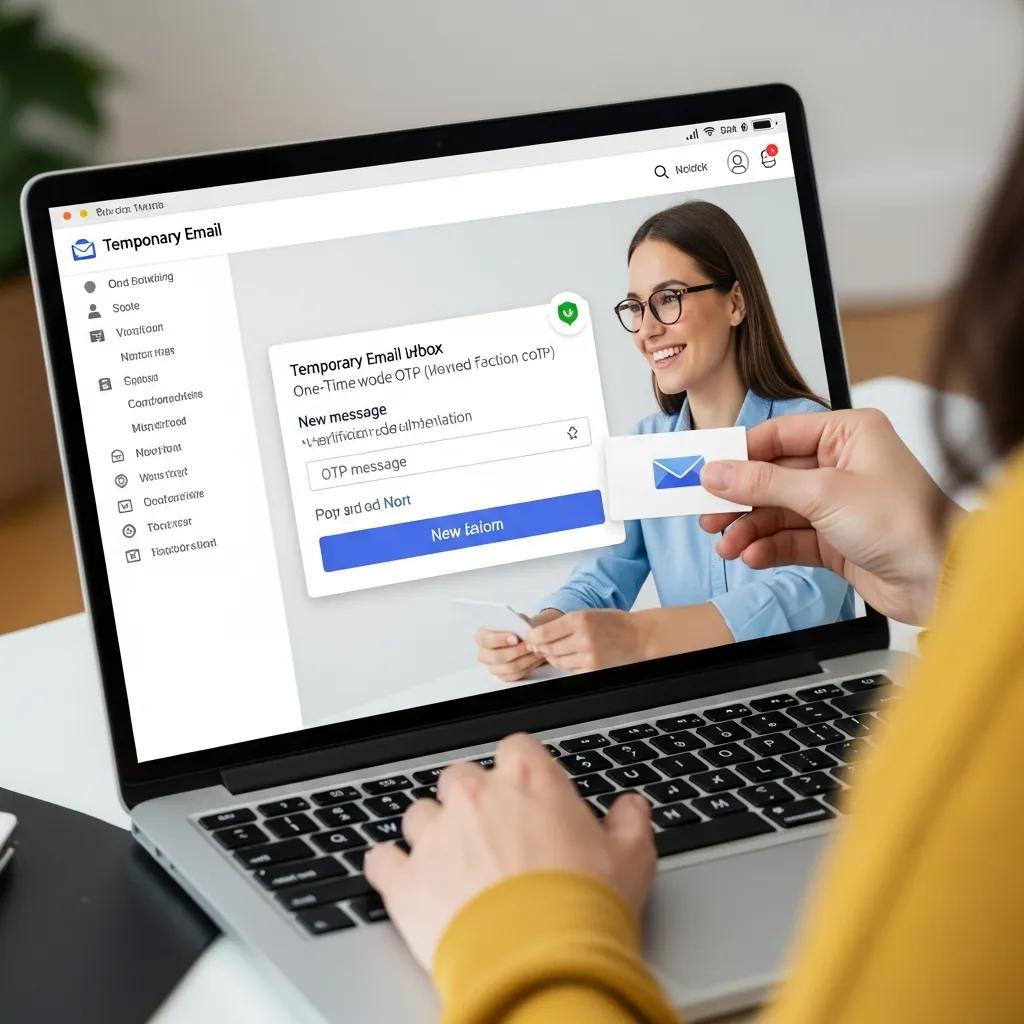
Yes — temporary email can receive OTPs for many non‑critical verifications. A disposable address keeps spam and trackers out of your main inbox during one‑off signups or testing. In some flows, a disposable inbox can act as a possession factor because the service sends the code to that address. TempoMailUSA is handy for developer testing, throwaway accounts, and low‑risk registrations where long‑term recovery isn’t needed.
One‑time passwords are common in verification messages — including those sent to disposable channels.
Disposable Phone Numbers & OTP Use
Studies find a large share of messages sent to disposable channels are one‑time passwords — short, single‑use codes.
Your Code is 0000: An Analysis of the Disposable Phone Numbers Ecosystem, JM Moreno, 2023
Here’s how a typical disposable inbox service summarizes its core features and privacy design.
- Free and easy — no signup or subscription required
- Privacy‑focused with minimal retention and automatic deletion (default 12 hours)
- Keeps spam out of your primary inbox
- Instant, mobile‑ready inbox for quick viewing
- Supports receiving OTPs and verification codes for temporary checks
Quick feature mapping: how TempoMailUSA helps with OTPs and privacy.
| Feature | Characteristic | Benefit |
|---|---|---|
| Free and accessible | No subscription or signup required | Low friction for quick verifications and testing |
| Minimal data retention | Automatic deletion (default 12 hours) | Limits exposure if inboxes are scraped or leaked |
| Spam prevention | Keeps primary inbox clean | Reduces long‑term spam and tracking of your main address |
| Live mobile‑ready inbox | Instant viewing of incoming messages | Fast receipt of OTPs and verification codes |
When to Use Temporary Email for OTPs
Use disposable email for short‑lived interactions where you don’t need account recovery — signing up for a trial, testing developer flows, or claiming a one‑time offer. Don’t use it for banking, healthcare, or accounts that hold sensitive data: disposable addresses usually lack secure recovery and can be deleted, which would lock you out. If you use temporary email for OTPs, create the disposable address, complete verification, and save any backup codes the service provides before the inbox expires.
Privacy Advantages of TempoMailUSA vs. Traditional 2FA
TempoMailUSA reduces exposure of your main email by giving you a disposable inbox that removes messages after a short window. With no signup required, it limits data collection and avoids adding another permanent account tied to your identity. Compared with SMS, disposable email avoids carrier risks like SIM swap, though it doesn’t replace cryptographic possession factors such as hardware keys. Think of temporary email as a privacy‑focused complement for non‑critical verifications.
For low‑risk needs, disposable email lowers your digital footprint while still letting you receive OTPs quickly.
Other 2FA Types Beyond SMS and Email
Beyond SMS and email, you’ll find biometrics, hardware security keys (FIDO2), push approvals, and emerging passwordless flows using public‑key cryptography. Biometrics bind access to your body (fingerprint, Face ID). Hardware keys provide cryptographic proof of possession and resist phishing. Push notifications offer one‑tap approvals and can include signals to detect fraud. Passwordless methods replace passwords with device‑bound credentials to reduce phishing risk.
The tables and sections below explain biometrics, hardware keys, and push notifications so you can decide what fits your devices and policy.
| Technology | Typical Use Case | Phishing Resistance |
|---|---|---|
| Biometric (fingerprint, Face ID) | Device unlock and app sign‑in | Medium — device‑bound; depends on local template security |
| Hardware Security Key (YubiKey, FIDO2) | High‑security accounts and enterprise SSO | Very High — cryptographic attestation resists phishing |
| Push Notification 2FA | Consumer apps for one‑tap approvals | High — app attestation can check session context |
How Biometric 2FA Works
Biometric 2FA uses inherence factors like fingerprints, face scans, or iris patterns to verify identity. The device compares a live scan to a stored template kept in a secure enclave — templates are usually not sent to servers. That makes biometrics fast and device‑bound, but you still need to consider device compromise and template protection. For the highest assurance, biometrics are often combined with a possession or knowledge factor so you have recovery options and account portability.
Understand how your device stores biometric templates and what recovery looks like before relying on biometrics alone.
Hardware Keys and Push Notifications — What They Do
Hardware security keys hold a private key that never leaves the device and use public‑key cryptography to prove possession. Because the key won’t sign requests from fake sites, hardware keys are highly phishing‑resistant. Push notifications send an approval request to a registered device and often show context like IP or location to help you confirm the attempt. With attestation, push can approach the phishing resistance of hardware keys. Use hardware keys for the highest‑risk accounts; choose push when you want strong security with minimal friction.
Pick hardware keys for maximum assurance. Choose push for broad, user‑friendly protection.
How to Choose and Set Up the Right 2FA Method
Choose 2FA based on account sensitivity, device availability, recovery needs, and privacy. Match stronger methods to high‑value accounts and use convenient options for routine services. Ask: do you own hardware keys? Can you install an authenticator app? What recovery options does the service offer? Also consider privacy — will the method expose your main phone or email? Add backups like printed or encrypted recovery codes, alternate authenticators, and a lost‑device revocation plan to avoid lockouts while keeping security strong.
Use this quick checklist to match account types with recommended 2FA methods.
- High‑risk accounts (banking, admin access): hardware security keys + strong password or passwordless FIDO2.
- Medium‑risk accounts (email, cloud services): authenticator app (TOTP) + backup codes.
- Low‑risk accounts (forums, single‑use services): SMS OTP or disposable email for quick verification.
- Developer/testing: temporary email or isolated test accounts with time‑limited credentials.
This checklist helps you allocate protections by value and recoverability. The sections that follow walk through setup steps and practical tips.
Factors That Should Guide Your 2FA Choice
Key factors: account sensitivity, available trusted devices, recovery and portability needs, user convenience, and privacy (for example, whether you want to avoid sharing your main phone or email). For financial or admin access, prioritize phishing‑resistant methods like hardware keys. For everyday cloud use, authenticator apps are a reliable balance. For short‑term needs, disposable email or temporary numbers can reduce your footprint — but avoid them where recovery is critical. Also consider organizational policy, user training, and whether device attestation is possible before standardizing a method.
Mapping these criteria to recommendations makes rollout simpler and keeps protections aligned with real risks.
Steps to Enable and Manage 2FA Securely
Follow a simple sequence to enable and maintain 2FA: pick the right second factor; register and test it (scan the QR, plug in the key, or approve the device); store backup codes in an encrypted vault or offline safe; enroll secondary devices where supported; and periodically review and revoke lost or unused factors. Turn on alerts for unusual logins and keep authenticator apps and device software up to date to reduce device‑level risks.
Setup priorities:
- Choose the right second factor for each account’s risk and your available devices.
- Register and verify it immediately and test logging in to confirm everything works.
- Store backup codes securely in a password manager or an offline safe.
Following these steps reduces accidental lockouts and keeps your multi‑factor defenses reliable without sacrificing usability.
Frequently Asked Questions
What are the advantages of using authenticator apps over SMS for 2FA?
Authenticator apps create time‑based one‑time passwords (TOTPs) locally on your device, making them more secure than SMS, which can be intercepted or targeted by SIM swap attacks. App codes aren’t sent over the network and often work offline, giving a more reliable and safer experience for protecting accounts.
How can I recover access to my account if I lose my 2FA device?
Most services give backup codes during 2FA setup that let you regain access if you lose your primary device. Store these codes securely in a password manager or a physical safe. Many services also let you enable multiple 2FA methods or recovery options (like a secondary device or alternate email) to make recovery easier.
Are there any risks associated with using biometric authentication?
Biometrics are convenient and fast, but they come with caveats. If a device is compromised, an attacker could attempt to access stored biometric templates. Some systems can be fooled by high‑quality replicas. For strong protection and recoverability, use biometrics alongside another factor, such as a password or hardware key.
What should I do if I suspect my 2FA method has been compromised?
If you think a 2FA method was compromised, change passwords for affected accounts and remove the compromised factor immediately. Switch to a more secure option (for example, a hardware key or an authenticator app) and monitor accounts for suspicious activity. Enable alerts for unusual logins to stay informed.
Can I use multiple 2FA methods for a single account?
Yes — many services let you enable multiple 2FA methods for one account. This boosts security and provides backups if one method fails or is lost. For example, use an authenticator app as primary and SMS or a second device as backup. Check the service settings and configure recovery methods before you need them.
How does TempoMailUSA enhance privacy during 2FA processes?
TempoMailUSA issues disposable email addresses you can use to receive one‑time passwords (OTPs) without exposing your primary inbox. That reduces spam and tracking during low‑risk verifications. Since temporary inboxes are deleted after a short window, they lower long‑term exposure — a practical choice for testing and non‑critical signups.
Conclusion
Adding two‑factor authentication gives your accounts a meaningful extra layer of protection beyond a password. By weighing options like SMS OTPs, authenticator apps, and hardware keys, you can pick the right balance of security and convenience for each account. TempoMailUSA offers a disposable inbox option for quick, low‑risk verifications while protecting your main email. Ready to tighten your defenses? Check our setup guides to get 2FA running in minutes.