
How to Navigate Your Facebook Privacy Settlement Email
Navigate Facebook Privacy Settlements

If you were part of the Facebook privacy settlement, you may already have — or soon receive — emails about eligibility, filing a claim, or possible payments. This guide shows what those legitimate messages usually look like, how to tell phishing apart from authentic notices, and safe ways to check payment status in 2025 without risking your data.
TempoMailUSA is a free, instant disposable email service built to protect your inbox and cut spam. Create a temporary address for one‑off signups, verifications, or quick checks without exposing your main email. We design for privacy: messages auto-delete (default 12 hours), there’s no profiling, and no sign‑up is required. TempoMailUSA is fast and mobile-ready — but not intended for sensitive accounts like banking or government services. Below you'll find a practical checklist for spotting official settlement messages, a plain‑language overview of the settlement's email impact, up‑to‑date guidance on payment timing and tracking, how disposable addresses reduce risk, how to verify administrator emails, and what payouts and eligibility generally look like.
Is that Facebook settlement email real? How to spot official communications
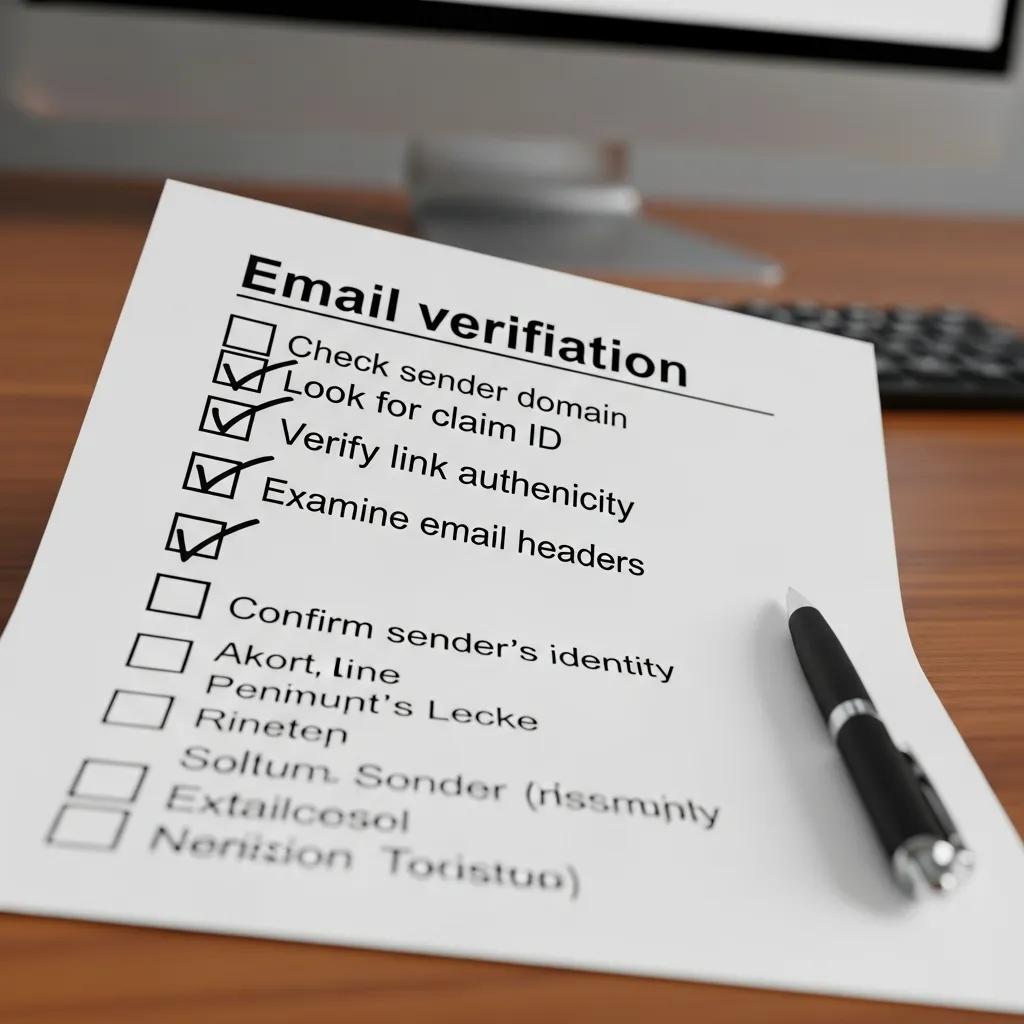
A legitimate Facebook settlement email comes from the appointed settlement administrator or an authorized vendor and will use consistent sender domains, clear claim or case IDs, and subject lines that match notices posted by the administrator. Treat any unexpected settlement message with caution. Don’t click links in the message — verify the notice independently. Use the quick checklist below right after opening a suspicious email to help decide whether to act or report it.
Use this checklist to authenticate a settlement email before clicking links or sharing details:
- Check the sender domain: Make sure the domain exactly matches the official settlement administrator domain shown in public notices.
- Find a claim or case ID: Official notices include a structured claim ID you can verify on the administrator’s portal.
- Avoid unsolicited attachments: Legitimate payments rarely require opening unexpected attachments — treat attachments as suspicious.
- Verify via official channels: Don’t follow links in the email. Instead, search for the administrator’s official site or contact info independently.
This checklist helps you decide whether to dig deeper or flag the message. Below are concrete examples of official sender patterns and common scam variations to help with quick visual checks.
The table below contrasts typical official senders with common scam aliases so you can compare at a glance.
| Sender Role | Attribute | Value |
|---|---|---|
| Settlement Administrator (official) | From address | [email protected] |
| Payment Processor (official) | From domain | facebookuserprivacysettlement.com |
| Common Scam Variation | From address | [email protected] |
| Common Scam Variation | From domain | suspicious-payments.example |
Small changes — extra words, added hyphens or odd top‑level domains — are common fraud signals. After checking the sender and domain, inspect the message content without interacting with links or attachments.
What official sender addresses and email formats look like
Official settlement emails come from domains controlled by the administrator and typically include case numbers, claim IDs, and clear, plain‑English instructions that point to known pages on the official settlement site. When in doubt, inspect the visible "From" address and (if you know how) check the full email headers for SPF/DKIM authentication. If header checks are unfamiliar, copy the claim ID and verify it on the administrator’s portal or call the published support number — never reply directly to an unverified email. Spotting these sender and header patterns reduces the chance of falling for a spoofed message.
How scammers try to mimic settlement emails — and how to avoid them
Scammers often use urgent language, fake "payment" links, or attachments that prompt you to enter credentials or download malware. Common red flags: misspellings in the sender domain, requests to verify identity via an email form, or pressure to click immediately to claim funds. If you suspect fraud, don’t click links or open attachments. Hover over URLs to preview the real domain, compare the email to official examples, and contact the administrator using a trusted channel. You can also forward suspicious messages to platform abuse teams or the settlement administrator’s security contact to help protect others.
Knowing how phishing works makes it easier to recognize attempts and stop them before they cause harm.
Web phishing detection schemes — overview
A snapshot of common phishing detection approaches and how researchers classify them for practical use.
A survey and classification of web phishing detection schemes, G Varshney, 2016
Phishing tactics are widespread — understanding detection and mitigation helps reduce identity theft risk.
Phishing mitigation & identity‑theft prevention
Phishing remains a major source of data breaches. This paper reviews mitigation practices and presents a sequential model for preventing and reducing phishing-related incidents.
Prevention and mitigation measures against phishing emails: a sequential schema model, SAS Monroy, 2021
Those precautions lead into why the settlement itself matters for email privacy, which we cover next.
What is the Facebook privacy settlement — and why it matters to your email privacy
The Facebook privacy settlement resolves claims about certain data practices and can require administrators to notify class members and sometimes make payments. Because administrators must reach people by email or mail, affected inboxes may receive a higher volume of official notices — and, unfortunately, opportunistic scammers. Knowing the settlement’s scope explains why you may see more targeted messages and why verifying sender authenticity and keeping your inbox tidy are important.
This is one example in a wider trend of data privacy class actions that shape how companies handle user data.
Data privacy class action settlement trends
A review of settlement activity across many cases, showing how notification and distribution practices have evolved.
Privacy Class Action Settlement Trends: Industry Practice or Improper Incentives?, 2021
Consumer privacy litigation continues to push organizations toward better data practices and clearer remedies for affected users.
Consumer privacy litigation & enforcement
Historical review of privacy regulation and enforcement, highlighting why privacy has been a recurring legal focus.
Consumer privacy regulation, enforcement, and litigation in the United States, 2002
The section below gives a brief timeline and authoritative references for what these settlements typically cover.
Overview of the Facebook privacy lawsuit and settlement details
In short: the lawsuit alleged improper handling of user data and settled with terms that often include notifications, claim options, and possible payments or corrective steps. Administrators publish the settlement terms, who qualifies, and how to file claims — those official resources are the authoritative source of truth. Because deadlines and evidence rules matter, check the administrator’s timeline so you know when and how to act without being misled by impostor messages.
How the settlement affects your email and personal data security
Settlement notices can increase messages to affected addresses, and contact details may be picked up by data brokers or opportunistic senders. That surge can mean more marketing, phishing attempts, and spoofed notices claiming to be settlement-related. Practical steps: adopt verification habits, use temporary inboxes for low‑risk signups, and avoid reusing the same email for many registrations to limit long‑term exposure. Next: when payments usually go out and how to check status safely.
When will settlement payments be sent in 2025? How to track your payment status
Large class-action settlements generally distribute funds in rounds after claims are processed and funds cleared. Expect staggered distributions rather than a single global payment day. Methods vary — mailed checks, electronic transfers, or payment processors — and administrators will describe what to expect. The table below summarizes typical distribution rounds and recommended tracking steps. After that, follow a short checklist for checking payment status securely without interacting with suspicious emails.
| Payment Round | Expected Timing | Distribution Method |
|---|---|---|
| Initial Distributions | Announced after claims processing | Check or electronic transfer as specified by administrator |
| Supplemental Rounds | Months after initial distributions | Similar methods, with notice to eligible claimants |
| Corrections & Reissues | As needed following verification | Reissued by the same payment method or mailed check |
Official announcements control timing; administrators will notify beneficiaries on the settlement site and to validated addresses. Use the secure steps below to confirm whether you’re scheduled to receive a payment.
- Locate your claim ID: Keep any ID you received from a verified source handy for checks.
- Visit the administrator’s portal: Enter your claim ID only on the official claim status page you find independently — not via an email link.
- Verify SSL and domain: Confirm the portal uses HTTPS and the domain exactly matches the administrator’s official address.
- Contact support if unclear: Use the administrator’s published support methods rather than replying to unverified emails.
Following these steps helps you check payment status without falling for phishing. Below is additional detail on official payment schedules and how administrators typically distribute funds.
Official payment dates and how distributions usually work
Administrators announce payment dates after claims are adjudicated and funds are allocated. Dates can shift, but updates and schedules are posted on the settlement’s main information pages. Distributions may be batched electronic transfers, mailed checks, or done through third‑party services depending on claimant data and preferences. Always cross‑check any emailed payment date against the administrator’s published notices and use your claim ID on the official portal instead of following embedded links. That reduces the chance of fake "payment confirmation" emails designed to steal banking or identity details.
How to check your payment status safely
Copy any claim ID from the message, then search for the settlement administrator’s official status page using a search engine — never click email links. On the portal, enter your claim ID and confirm names and amounts match. If the portal requests more verification, follow the administrator’s documented instructions and avoid sending sensitive documents via unverified email. These precautions let you manage incoming messages and consider alternative inbox strategies that reduce risk and clutter.
How TempoMailUSA can protect your inbox from settlement-related spam
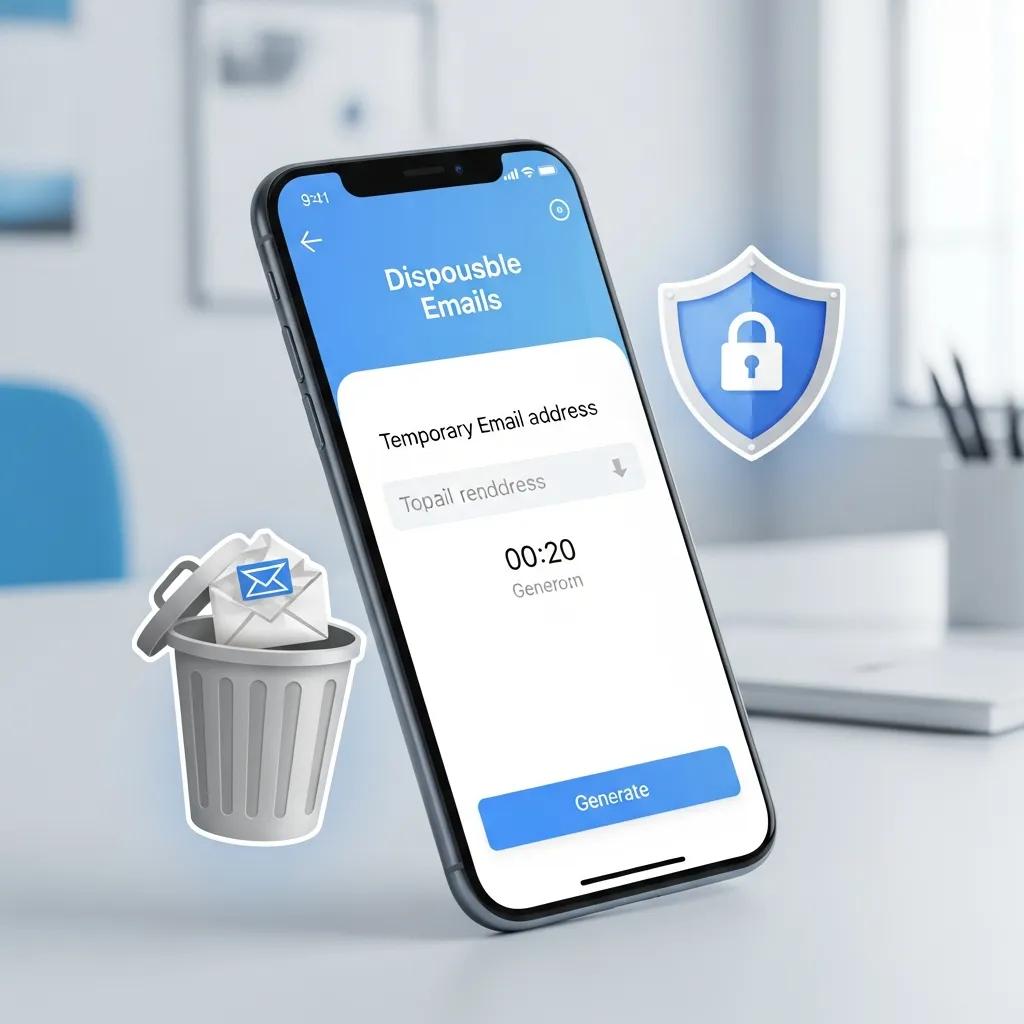
Disposable emails reduce long‑term exposure by giving you short‑lived addresses for non‑sensitive signups. That’s handy if you want settlement updates or one‑time notifications without adding to your primary inbox or inviting ongoing marketing messages.
TempoMailUSA is a free, instant disposable email service that helps protect your privacy and cut spam. Generate a temporary address for one‑time signups, verifications, or testing without exposing your main inbox. We emphasize privacy by design: automatic deletion (default 12 hours), no profiling, and a fast, no‑signup experience. Remember: disposable addresses are not for sensitive accounts like banking or government services. Primary product: Free Temporary Email Service / Disposable Email Address with instant disposable inbox, auto‑deletion (default 12 hours), no signup required, mobile‑ready, fast message delivery.
Here are the core benefits and a quick comparison showing how a disposable address behaves versus a primary inbox for settlement notices.
- Reduce inbox clutter: Use a temporary address to keep follow‑up newsletters and extra messages out of your main inbox.
- Lower phishing exposure: If a temporary address is targeted, your main credentials stay protected.
- Throw it away when done: Delete the disposable inbox after you get the info you need to stop future emails.
The table below summarizes typical outcomes.
| Account Type | Characteristic | Outcome for Settlement Notices |
|---|---|---|
| Primary Email | Long-term address | Higher risk of persistent marketing and targeted spam |
| Disposable Email | Auto-deleting, no signup | Low persistence, reduced tracking and profiling |
| Disposable Email | Instant setup, mobile-ready | Fast verification for non-sensitive notices |
When used correctly, disposable emails give you a fast verification channel without creating a permanent link to your primary identity. Below are best practices for using TempoMailUSA with settlement communications.
Benefits of using disposable emails for settlement notifications
A disposable address prevents long‑term marketing, reduces data‑broker harvesting, and gives you control over message retention by letting you delete the address after the notification window closes. For general updates or claim‑status alerts that don’t require submitting sensitive documents, a temporary address lets you receive the info you need without linking it to your main account. Speed and convenience matter: disposable inboxes deliver messages quickly and then expire, limiting future exposure.
Best practices for using TempoMailUSA with settlement emails
Create a disposable address specifically for settlement updates and record any claim ID or reference number in a secure personal note so you can check details later without keeping the inbox active. Keep the disposable inbox only as long as necessary — the default auto‑delete lowers residual risk, and you can discard the address after the claim window closes or you confirm payment status. Never use disposable addresses to submit sensitive documents, banking info, or government forms — use official portals or your trusted primary email for those interactions. Following these steps helps you cut spam without compromising critical communications.
| Service | Feature | Value |
|---|---|---|
| TempoMailUSA | Auto-delete (default 12 hours) | Limits message longevity and tracking |
| TempoMailUSA | No signup required | Low-friction, fast address creation |
| TempoMailUSA | Mobile-ready delivery | Convenient for on-the-go verification |
This table highlights core features and how they support safe settlement communications. Next: how to spot official administrator emails and respond securely.
What is the settlement administrator email — and how to communicate securely?
The settlement administrator publishes official contact channels and authorized email domains. Authentic administrative emails typically reference the case name, include structured identifiers, and don’t ask for passwords or unencrypted banking details. To stay secure, use the administrator’s official claim portal or phone support rather than replying to unverified messages, and only send sensitive documents when a verified, secure channel is provided.
The examples below show common official patterns and suspicious variants to help you validate addresses quickly before sending any personal information.
| Contact Role | Attribute | Example |
|---|---|---|
| Administrator (official) | Domain pattern | facebookuserprivacysettlement.com |
| Administrator (official) | Expected content | Claim ID, case reference, clear instructions |
| Suspicious email | Domain variation | facebook-settlement-notify.example |
Spot domain mismatches and odd content. After confirming the administrator’s official contacts, follow the secure response tips below.
How to identify the administrator’s official email addresses
Official administrator addresses use the settlement’s published domain and rarely come from free email services. Validate the domain and check for structured identifiers like claim or case numbers to confirm authenticity. If you can, inspect the email header to see the sending path and whether SPF/DKIM checks passed. Messages that fail authentication despite a correct display name are suspect. Always cross‑reference administrative emails against the official contact list on the settlement site and treat unfamiliar domains as potentially fraudulent until verified.
How to respond or submit claims without exposing private data
Whenever possible, submit claims and supporting documents through the administrator’s official portal. Secure portals offer controlled uploads and clear instructions so you don’t transmit sensitive data by email. If email is required, confirm the exact address from the official settlement documentation and send only the minimum necessary information — avoid unencrypted banking or government identifiers unless a secure channel is explicitly provided. To reduce inbox clutter for non‑sensitive updates, consider a disposable address for status notices, while keeping sensitive exchanges on trusted channels.
How much is the payout and who is eligible?
Payout amounts and eligibility rules vary by case and are spelled out in the official settlement documents. This section gives a plain‑English summary and points you to the administrator for exact amounts and formulas. Awards may vary based on the total number of valid claims, claimant category, and the settlement’s allocation rules — so rely on the administrator’s documentation for precise figures rather than informal reports.
- Total settlement fund: The administrator publishes the total amount available and the method for allocating it.
- Per‑claimant ranges: Awards may be flat amounts or vary by claimant category and submission details.
- Documentation & deadlines: Eligibility often requires filing by a deadline and, in some cases, evidence of membership in the affected class.
These points summarize payout mechanics and lead into the more concrete summaries below.
Summary of payout amounts
Public summaries usually list a range or formula for individual payouts rather than a single guaranteed figure. Administrators explain approximate amounts per claimant category and how the final number is calculated after validating claims. Because payouts depend on valid claim counts and administrative costs, check the official settlement documentation for exact figures. Administrators will also explain timing and any conditions that affect distribution.
Who is eligible?
Eligibility depends on the class definition in the settlement notice and may consider timeframes, account activity, or specific exposure conditions named in the settlement. Required evidence is often minimal for basic eligibility but may include attestations or documents when disputing a denial. If you’re unsure whether you qualify, use the administrator’s official eligibility tools or contact verified support channels — don’t rely on uncertain emails.
TempoMailUSA is a free, instant disposable email service that helps protect privacy and cut spam. Generate temporary email addresses for one‑time signups, verifications, and testing without exposing your primary inbox. We emphasize privacy by design, automatic deletion (default 12 hours), no profiling, and a fast, no‑signup experience. TempoMailUSA is not intended for sensitive accounts like banking or government services. Primary product: Free Temporary Email Service / Disposable Email Address with instant disposable inbox, auto‑deletion (default 12 hours), no signup required, mobile‑ready, fast message delivery.
Frequently asked questions
What should I do if I receive a suspicious Facebook settlement email?
Do not click links or open attachments. Verify the sender’s address against official sources and use the article checklist to assess legitimacy. If you suspect phishing, report the message to the platform and the settlement administrator’s security contacts. Always verify claims via independent channels before taking action.
How can I protect my primary email from settlement‑related spam?
Use a disposable email service like TempoMailUSA for signups and updates you don’t want linked to your main inbox. After you get the necessary information, delete the disposable address to reduce future spam and phishing exposure while still receiving important updates.
What are common signs of a phishing email about the settlement?
Red flags include urgent language demanding immediate action, misspellings in the sender’s address, requests for passwords or financial information, and suspicious links or attachments. Always verify the sender domain and cross‑check claims with the official settlement resources.
Can I use a disposable email for sensitive settlement communications?
No. Don’t use disposable emails for sensitive communications like submitting personal documents or banking details. Use your primary email or the administrator’s secure portal for those interactions to ensure your information is handled safely.
How do I track my payment status?
Find your claim ID from official communications, then go to the administrator’s official portal (searched independently) and enter the ID on the status page. Confirm the site is secure and the domain matches the administrator’s official address. For questions, contact the administrator via their verified support methods.
What if I miss the deadline to file a claim?
If you miss the deadline, options may be limited. Check the administrator’s website for extensions or supplemental rounds. If you believe you have a valid reason for missing the deadline, contact the administrator directly to ask about possible recourse.
Conclusion
Confirming the authenticity of Facebook privacy settlement emails protects your data and ensures you don’t miss any payments. Follow the verification steps above, use disposable emails for low‑risk updates, and always verify payment status on the administrator’s official portal. Stay cautious, use trusted channels, and reach out to the settlement administrator if you need clarification. For more on inbox safety and privacy, check our guides.